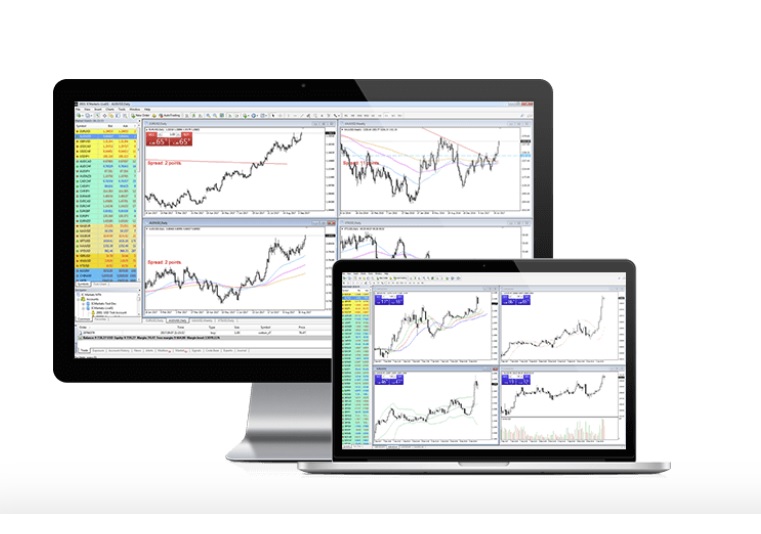
Are you a Mac user looking to unlock your full trading potential? Look no further than MetaTrader 4, the go-to platform for traders worldwide. With its powerful tools and features, MetaTrader for Apple devices like Mac can help you easily analyse the market, execute trades, and manage your portfolio. But with so many features to explore, it can be overwhelming to know where to start. In this article, you can explore tips and tricks to help you get the most out of this platform for your device. So, grab your Mac, fire up MetaTrader 4, and let’s unleash your trading potential.
Use a Virtual Private Server (VPS): A virtual machine runs on a remote server, allowing traders to access their platform anywhere. Using a VPS has several advantages, such as eliminating the need for a physical computer, reducing latency, and providing 24/7 access to your trading platform. It can also help you avoid technical issues arising from using MetaTrader 4 on a Mac, such as compatibility issues or slow performance.
Customise your charts: One of the critical features of this platform is the ability to customise your charts. You can add various indicators, time frames, and chart types to your charts to help you analyse the market more effectively. Some popular indicators include Moving Averages, Bollinger Bands, and Relative Strength Index (RSI). You can also use different chart types, such as candlestick, line, and bar charts, to help you visualise market trends and patterns.
Set up price alerts: Price alerts can be beneficial in monitoring the market and identifying potential trading opportunities. MetaTrader 4 allows you to set price alerts for specific currency pairs or other trading instruments. You can set alerts for price levels, moving averages, and other technical indicators. When the price reaches your set level, this platform will notify you via email, SMS, or push notification.
Use Expert Advisors (EAs): Expert Advisors (EAs) are automated trading programs that help you execute trades automatically based on pre-defined rules. EAs can be very helpful for traders who want to implement a specific strategy or need more time to monitor the market constantly. MT4 comes with a range of pre-built EAs that you can use, or you can create your custom EAs using the MetaEditor tool.
Use keyboard shortcuts: Keyboard shortcuts can help you navigate MT4 more efficiently and save time. Some of the most valuable shortcuts include Ctrl + N (to open a new chart), Ctrl + T (to open a new order), and Ctrl + D (to delete an object on the chart). You can find a complete list of keyboard shortcuts in the platform’s Help section.
Backtest your trading strategies: Backtesting is the process of testing a strategy using historical data to see how it would have performed in the past. MetaTrader 4 provides a built-in backtesting feature that allows you to test your strategies using historical data. It can help you identify potential flaws in your trading strategy and fine-tune it for better performance.
Use the economic calendar: An economic calendar is a tool that provides information on upcoming economic events that can affect the market. MT4 provides an economic calendar that shows each event’s date, time, and expected impact. You can utilise this information to plan your trades and avoid potential market volatility.
Keep track of your trades: Keeping track of your trades is essential for evaluating your performance and identifying areas for improvement. MT4 provides a trade history feature that allows you to view all your closed trades, including the entry and exit points, profit or loss, and other relevant information. You can also export your history to a spreadsheet for further analysis.
Conclusion
MetaTrader for Apple devices like Mac is powerful and can help maximise your trading potential. Utilising the tips and tricks outlined in this article can improve your trading efficiency, reduce risk, and increase profitability. Whether a novice trader or an experienced professional, MT4 for Mac can provide you with the tools and resources, you need to succeed in the forex market.
About Author